CLI Task Manager
A Python CLI tool to add, categorize, complete, and delete tasks with persistent local JSON storage.
A command-line interface application that allows users to manage tasks directly from the terminal. It supports adding tasks with categories, listing all tasks, marking tasks as completed, and deleting them. Data persists between sessions using a local JSON file.
Project Overview
CLI Task Manager is a command-line application built in Python that lets you manage your to-do list directly from the terminal. It supports the full task lifecycle: adding, listing, completing, and deleting tasks, all persisted locally in a JSON file.
Technical Implementation
Task Operations
The tool provides four core subcommands:
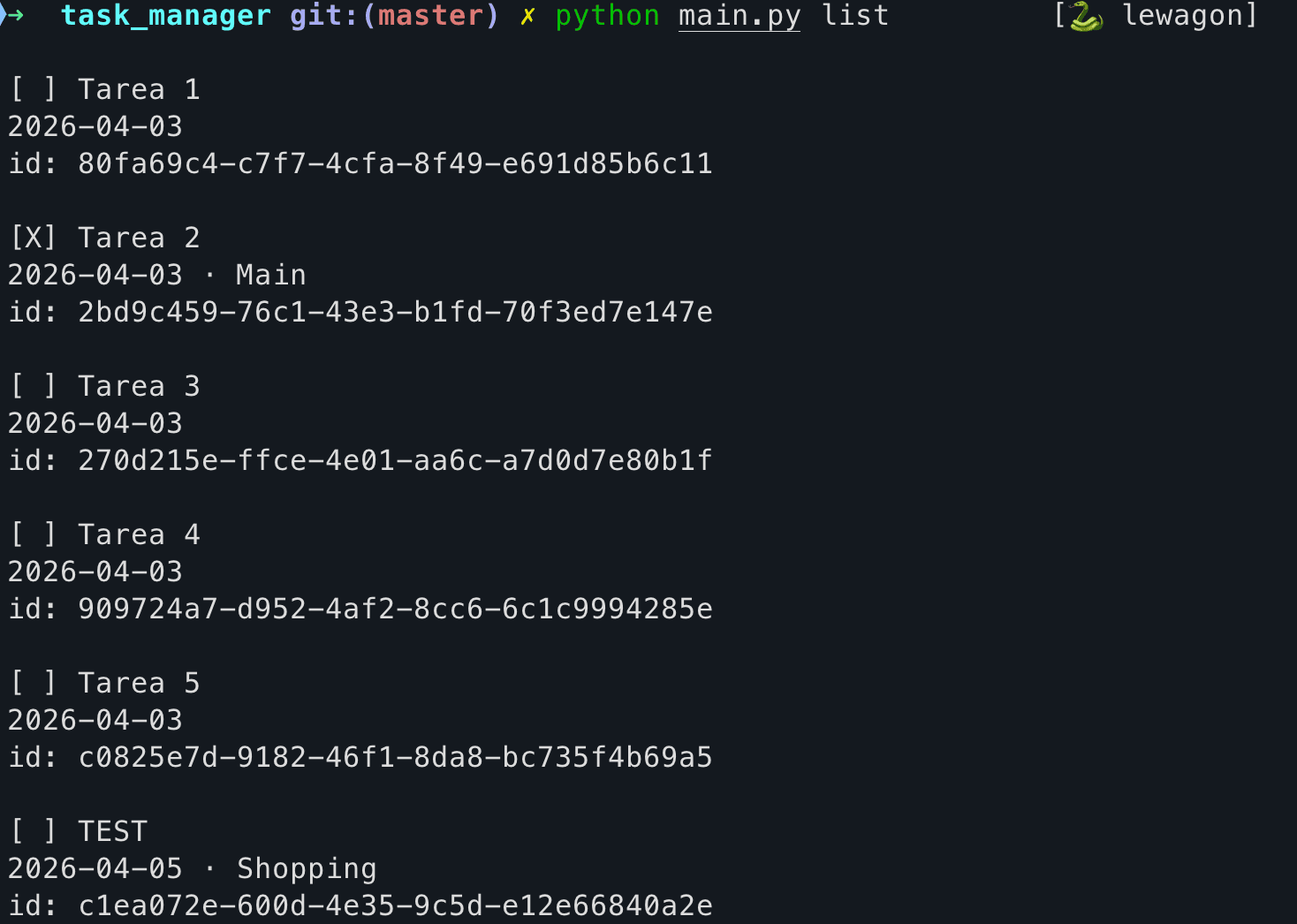
add: Create a new task with an optional categorylist: Display all tasks with their status, date, category, and IDcomplete: Mark a task as done using its UUIDdelete: Remove a task permanently by its UUID
Data Persistence
Tasks are stored in a local JSON file, making the tool completely self-contained with no need for a database or external service. Each task is identified by a UUID, ensuring unique identification even across sessions.
CLI Design
The interface uses Python’s argparse module with subcommands, following Unix CLI conventions. The output is clean and readable, showing completion status with [X] and [ ] indicators.
The Challenge
- Designing a simple yet flexible data model for tasks that supports categories and completion status
- Implementing reliable data persistence between sessions using a local JSON file
- Creating an intuitive CLI interface with clear subcommands for each operation
The Approach
- Used Python dictionaries with UUID-based identifiers stored in a JSON file for lightweight persistence
- Leveraged argparse subcommands to create a clean, Unix-style CLI interface
- Implemented category support as optional metadata to keep task creation simple yet flexible
Results
- A functional CLI task manager that works entirely offline with zero external dependencies
- Clean terminal output with visual indicators for task completion status
- Demonstrated proficiency in Python scripting and CLI application design
Impact
You jot down tasks from the terminal and they are still there next time. They live in a text file you can open or copy yourself. Nothing to install, no account to create.
Project Details
Objective
Build a practical, lightweight CLI utility for personal task management that demonstrates clean Python scripting and data persistence.
Theme
Technical and minimalist CLI tool aesthetic.
Date
April 3, 2026